
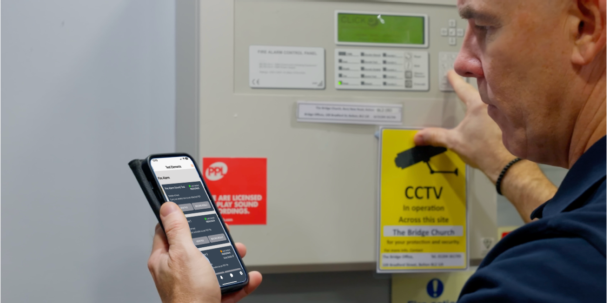
Workplace testing and maintenance in one place

Workplace testing and maintenance in one place

Workplace testing and maintenance in one place

Marshal Eye allows organisations to create, schedule and record their own workplace tests, checks and maintenance tasks.

You decide what needs to be tested, how often it should be repeated and who is responsible for completing it. This can include safety checks, equipment inspections, building checks, compliance tasks or any other recurring test your organisation needs to manage.

Each completed test creates a clear digital record, helping improve accountability, visibility and operational control.

Marshal Eye Logo incident management app
Larger marshal eye logo

Record test results directly in the app

Record each test result directly in Marshal Eye so there is a clear digital record of who completed it, when it was carried out and what the outcome was.

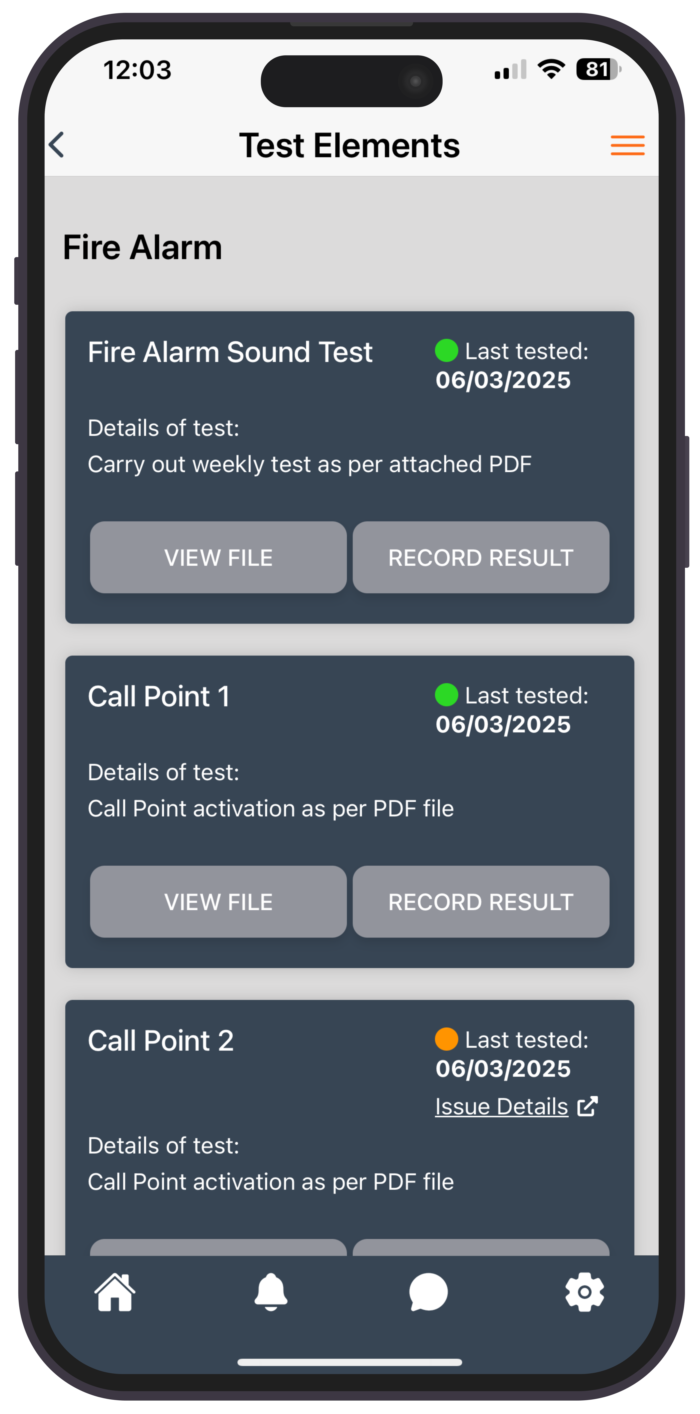
Results can be recorded as Passed, Passed but Action Required or Failed. Any test that fails or requires action can automatically feed into Reported Issues, helping administrators keep follow-up work, ownership and resolution in one place.
Create your own tests and checks

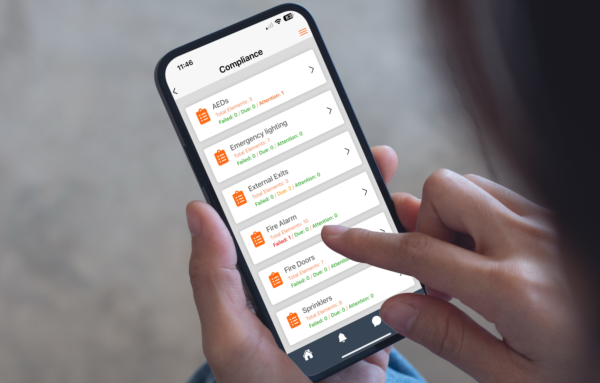
Create bespoke tests for anything your organisation needs to monitor, then add the individual elements that make up each check.

Set how often each test should be repeated and keep a clear digital record of the results. This can support audits, demonstrate compliance and give managers confidence that important checks are being completed when required.

Accurate fire equipment test records are essential—they prove compliance, ensure safety readiness, and provide clear evidence during audits to meet legal and regulatory requirements.

WM Little Fire Safety Enforcement Officer GMFRS

Tests due screen Marshal Eye

Testing status at a glance

See the current status of all your workplace tests and checks at a glance.

The dashboard shows what is due, what has been completed and where action is still required, based on the testing schedules you have set.

Historical records are stored digitally, giving administrators a clear overview and making audits, reviews and compliance checks much easier to manage.

Test Screen Marshal Eye

Set up and manage your tests

Create each test in the dashboard, add the individual elements that need to be checked and set how often the test should be repeated.

You can also upload guidance so the person carrying out the test can see exactly what is required in the app.

Results are shown clearly using status indicators, making it easy to see what has passed, what requires action, what has failed and what is due. Any failed test or result requiring action can then feed into Reported Issues so follow-up work stays visible and managed in one place.

price tag icon
How we got here
Our Story
phone icon
Sign up as a single user for free
Sign up